SMS Opt-In
supGamer LLC
How users consent to receive SMS
Providing a phone number is optional throughout the supGamer app — users can sign up and operate the app entirely with email instead. Whenever a phone number is collected (during initial registration or when a user later adds or changes their phone number in account settings), the user must take an explicit affirmative action to consent to SMS messaging before the change is accepted.
The consent flow works as follows:
- The user enters a phone number in either the registration form (new account) or the account-settings change-phone sheet (existing account).
- Once a complete, valid 10-digit US, Canadian, or US-territory number is entered, an SMS consent block appears below the phone field.
- The block displays explicit disclosure language describing what messages will be sent, message frequency, the opt-out method, and links to the Privacy Policy and Terms & Conditions.
- An unchecked checkbox is shown with the label: “I agree to receive SMS verification codes from supGamer LLC at the number above.”
- The user must tap the checkbox to consent. The submit button (“continue” on signup, “send verification code” in settings) will not advance the form until the box is checked.
- After the user proceeds, a one-time SMS verification code is sent to the provided number. The phone number is only persisted to the user's account once that code is verified.
Users who sign up with email only do not see the SMS consent block and never receive any SMS messages. Users who later remove a phone number from their account also do not need to consent (consent is required at the point of collection only).
Registration screen (new accounts)
The screenshot below shows the account creation screen with the SMS consent block visible after a phone number has been entered:
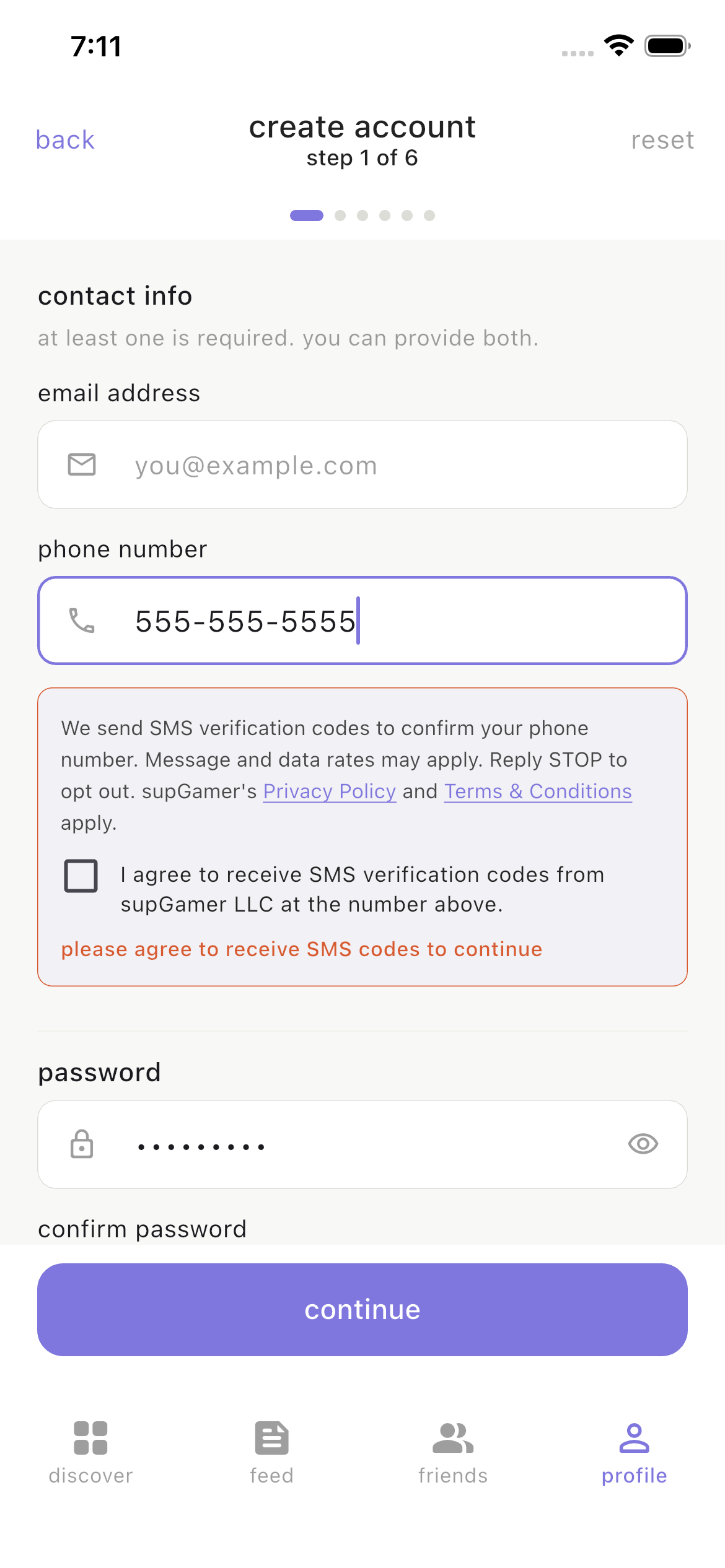
Account creation — SMS consent block (appears when phone number is entered)
Account settings (existing accounts adding or changing a phone)
Existing users who later add or change a phone number in their account settings see the same consent block before the verification code is sent:
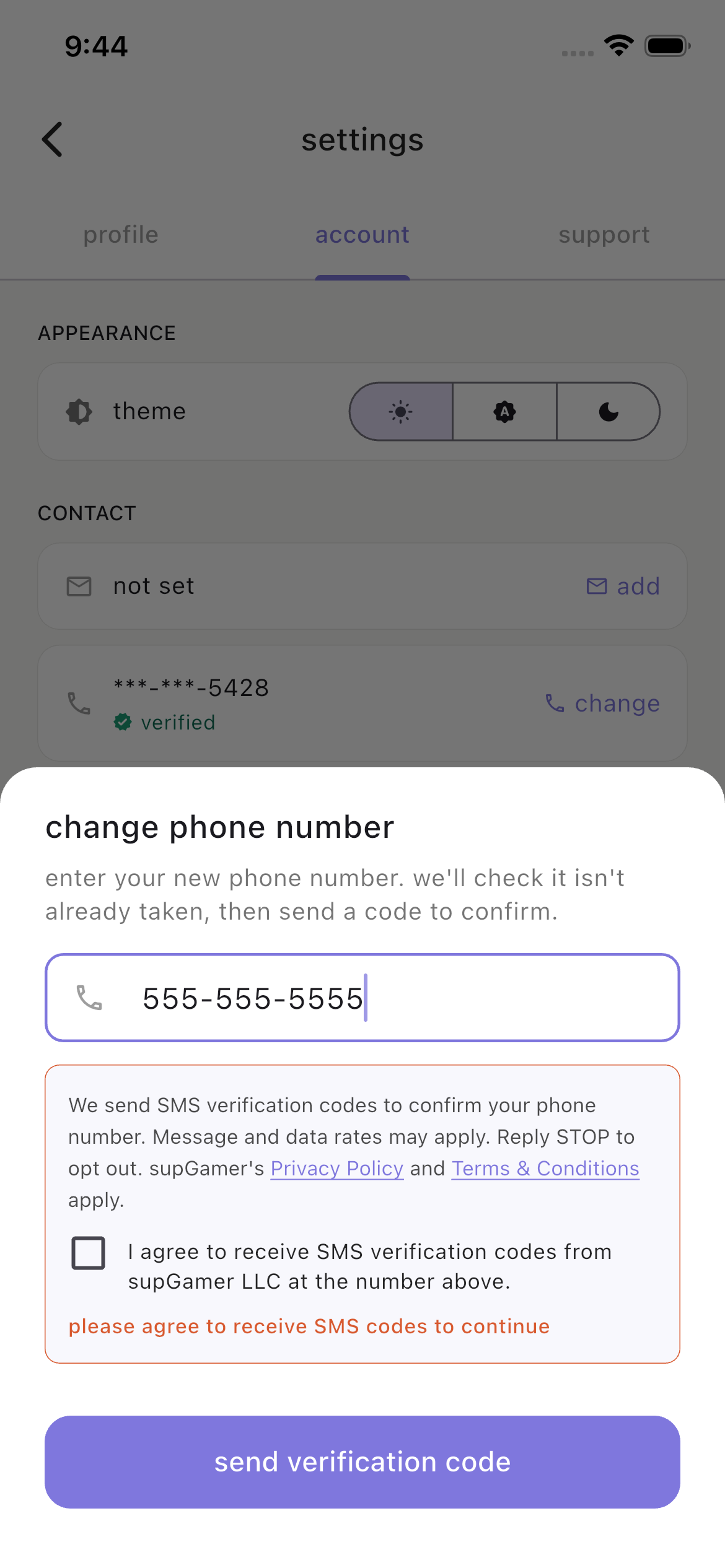
Account settings — change-phone sheet with the same consent block
Disclosure language shown to users
The exact text displayed inside the consent block, immediately above the checkbox (identical at both collection points):
“We send SMS verification codes to confirm your phone number. Message and data rates may apply. Reply STOP to opt out. supGamer's Privacy Policy and Terms & Conditions apply.”
Message details
Account verification only. SMS is sent to confirm the user's phone number during account registration, password reset, when adding or changing a phone number in account settings, and account deletion confirmation.
Message frequencyOne message per authentication event. There are no recurring, marketing, or promotional SMS messages.
Sample message“Your supGamer verification code is: 123456”
Opt-out methodUsers may reply STOP to any SMS verification code to immediately opt out of all future SMS messages from supGamer LLC. Opt-out is processed at the carrier level and is honored permanently. Users may also opt out by removing their phone number from their account settings, or by deleting their account entirely.
Supported regionsSMS verification is currently supported for phone numbers in the United States, Canada, and US territories (Puerto Rico, US Virgin Islands, Guam, American Samoa, Northern Mariana Islands). The application validates and rejects phone numbers from other regions during registration.
Contact
For questions about supGamer's SMS practices, please contact support@supgamer.app.
For information about how we collect, store, and use your data, see our Privacy Policy.